> ## Documentation Index
> Fetch the complete documentation index at: https://docs.bloom.diy/llms.txt
> Use this file to discover all available pages before exploring further.
# Code Preview
> Browse and understand your generated codebase on web and mobile.
Bloom lets you browse your generated code on both web and mobile. Code files are read-only within Bloom. To edit code directly, use [**GitHub Sync**](/github-sync) or [**export your code**](/exporting-code).
## On web
Click the **Code view** button in the left panel (the second icon below Chat) to open the file browser.
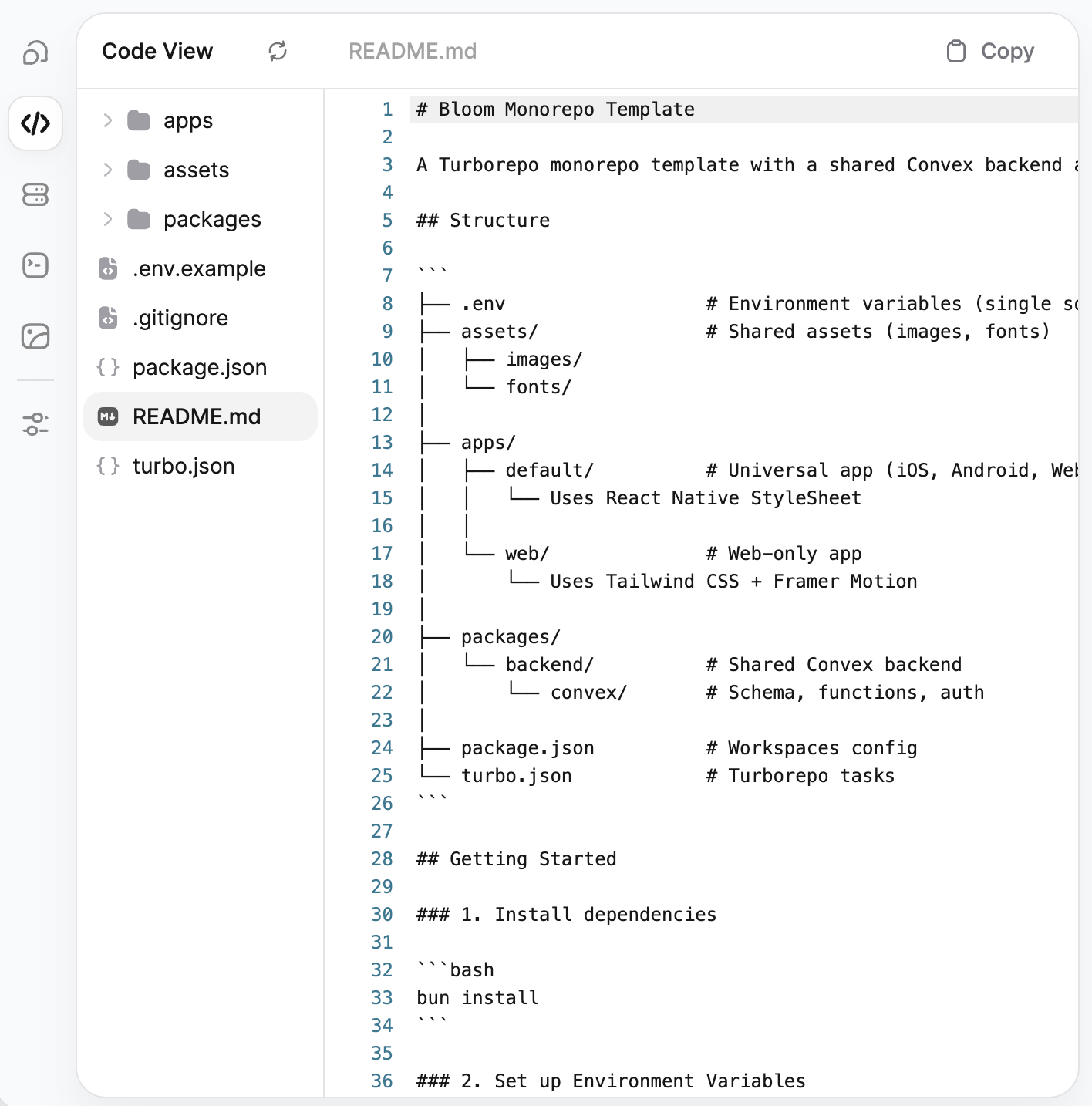 The code view has two panels:
* **File tree** (left) — Browse your project's folder structure. Click any folder to expand it and any file to open it.
* **File viewer** (right) — Displays the contents of the selected file with syntax highlighting and line numbers. The filename appears in the top bar.
The toolbar at the top includes:
* **Refresh** to reload the file tree and contents
* **Copy** (top right) to copy the current file's contents to your clipboard
## On mobile
From the **More** tab, tap **View Code** to open a modal where you can browse your project files.
The code view has two panels:
* **File tree** (left) — Browse your project's folder structure. Click any folder to expand it and any file to open it.
* **File viewer** (right) — Displays the contents of the selected file with syntax highlighting and line numbers. The filename appears in the top bar.
The toolbar at the top includes:
* **Refresh** to reload the file tree and contents
* **Copy** (top right) to copy the current file's contents to your clipboard
## On mobile
From the **More** tab, tap **View Code** to open a modal where you can browse your project files.
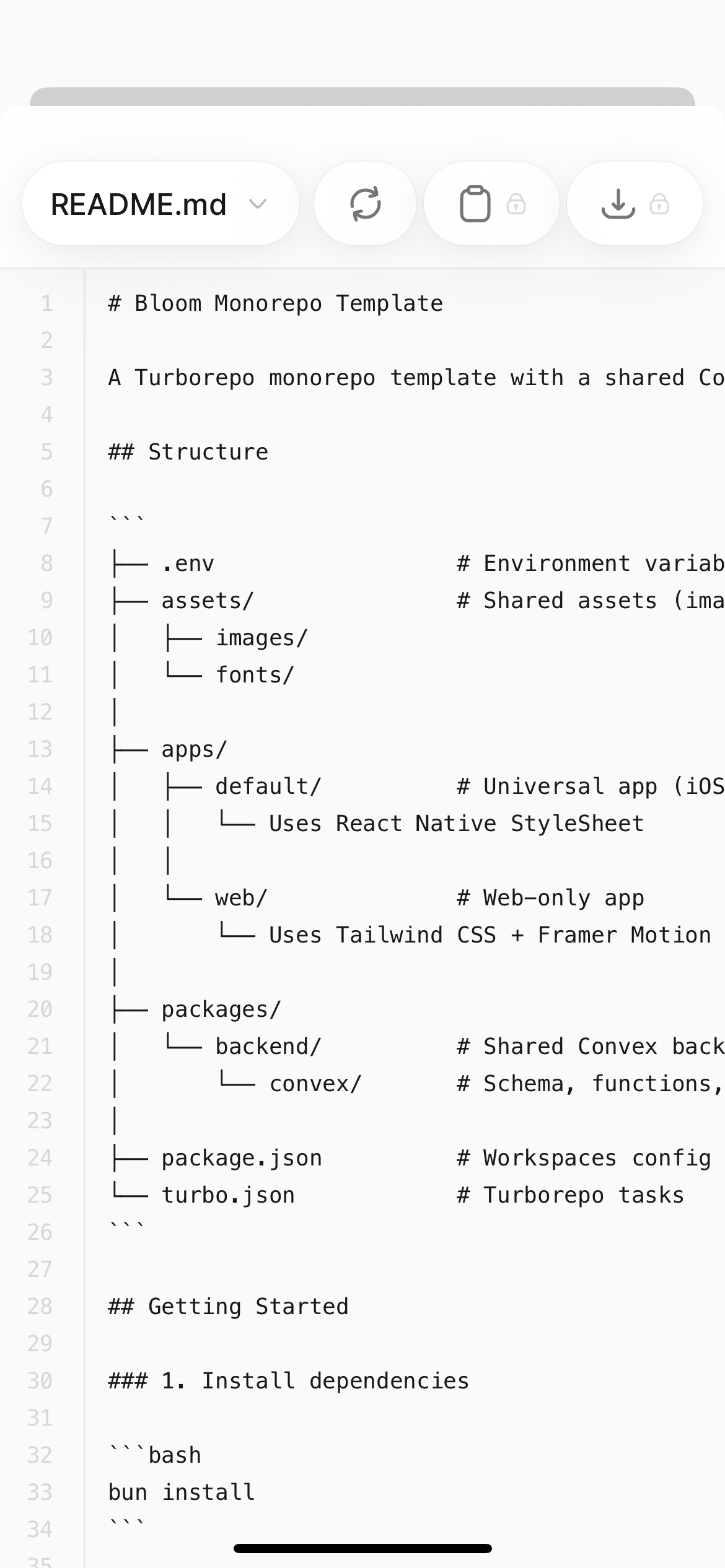 The code preview modal includes:
* **File dropdown** (top left) to switch between files in your project
* **Refresh** to reload the file contents
* **Copy** to copy the current file's contents to your clipboard (Starter plan and above)
* **Download** to download the file to your device (Starter plan and above)
The copy and download buttons require a **Starter plan** (\$20/month) or above. On the Free plan, these actions are locked.
## What you can see
Your Bloom app is a Turborepo monorepo containing an Expo frontend and a Convex backend. The code preview gives you visibility into the full project structure:
* **`apps/default/`** — Your universal app (iOS, Android) using React Native StyleSheet
* **`apps/web/`** — Your web app using Tailwind CSS and Framer Motion
* **`packages/backend/convex/`** — Your Convex schema, functions, and backend logic
* **`assets/`** — Shared images and fonts
* **`package.json`** and **`turbo.json`** — Workspace configuration and build tasks
For a detailed breakdown of every file and folder, see [**App Structure**](/app-structure).
## What's next?
Detailed breakdown of every file and folder in your project.
Download your code as a ZIP or sync with GitHub.
Set up bidirectional sync to edit code in your preferred IDE.
Learn more about building and managing apps from your phone.
The code preview modal includes:
* **File dropdown** (top left) to switch between files in your project
* **Refresh** to reload the file contents
* **Copy** to copy the current file's contents to your clipboard (Starter plan and above)
* **Download** to download the file to your device (Starter plan and above)
The copy and download buttons require a **Starter plan** (\$20/month) or above. On the Free plan, these actions are locked.
## What you can see
Your Bloom app is a Turborepo monorepo containing an Expo frontend and a Convex backend. The code preview gives you visibility into the full project structure:
* **`apps/default/`** — Your universal app (iOS, Android) using React Native StyleSheet
* **`apps/web/`** — Your web app using Tailwind CSS and Framer Motion
* **`packages/backend/convex/`** — Your Convex schema, functions, and backend logic
* **`assets/`** — Shared images and fonts
* **`package.json`** and **`turbo.json`** — Workspace configuration and build tasks
For a detailed breakdown of every file and folder, see [**App Structure**](/app-structure).
## What's next?
Detailed breakdown of every file and folder in your project.
Download your code as a ZIP or sync with GitHub.
Set up bidirectional sync to edit code in your preferred IDE.
Learn more about building and managing apps from your phone.