- Instant sharing (covered in Instant Sharing) — Share immediately with links and QR codes
- App Store publishing (this guide) — Deploy to official app stores for public distribution
Not sure which you need? If you’re testing, demoing, or building an internal tool, instant sharing is faster and easier. If you want public distribution, monetization, or app store credibility, follow this guide.
Why publish to app stores?
Discoverability
Users can find your app by searching app stores. You appear in categories, featured lists, and recommendations.
Credibility
Official app store listings build trust with users. Many people prefer downloading from stores they know.
Monetization
Sell your app, offer in-app purchases, or use subscription models through app store payment systems.
Push notifications
Full push notification support (iOS requires App Store distribution for reliable push).
Analytics & reviews
Access to app store analytics, user reviews, and ratings to improve your product.
Professional presence
Essential for businesses, brands, or apps serving large audiences.
Requirements for publishing
Plan requirements
- Starter or Higher
Code export is available on Starter plans and above.View pricing →
Export your full Expo + Convex project as a ZIP
Deploy to any hosting platform
Publish to app stores
Developer accounts
To publish to app stores, you’ll need:Apple Developer Program
Apple Developer Program
Cost: $99/yearRequired for: Publishing to the iOS App StoreSign up: developer.apple.com/programsWhat you get:
- Ability to submit apps to App Store
- Access to App Store Connect
- TestFlight for beta testing
- App analytics and sales reports
- Certificate and provisioning profile management
You can build and test iOS apps without this account using Bloom’s instant sharing. You only need it when you’re ready to publish officially.
Google Play Console
Google Play Console
Cost: $25 one-time feeRequired for: Publishing to Google Play StoreSign up: play.google.com/consoleWhat you get:
- Ability to publish apps to Play Store
- Access to Play Console
- Internal testing and beta tracks
- App analytics and user feedback
- Revenue reports (for paid apps)
Exporting your code
Option 1: Download as ZIP (Starter+)
Download the ZIP file
Bloom bundles your current project version and downloads it as a ZIP file.The export includes:
- Full Expo project (frontend)
- Complete Convex deployment (backend)
- Configuration files
- Package dependencies
- Environment setup instructions
Your exported code is a standard Expo + Convex project. You can run it locally, deploy it to your own infrastructure, or publish it to app stores.
Option 2: GitHub Sync (Premium+)
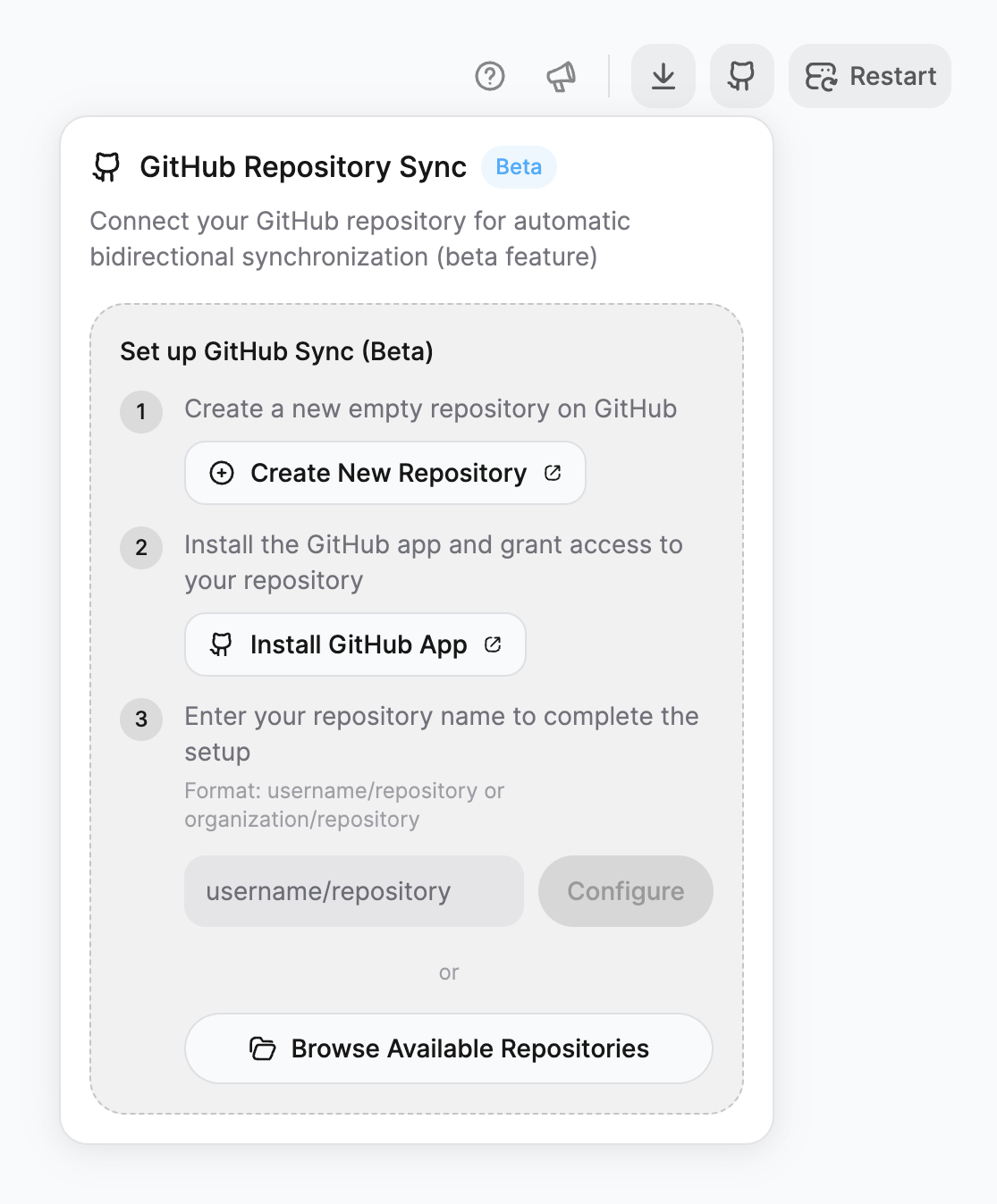
Connect GitHub
In your Bloom settings, find the GitHub Integration section.Click Connect GitHub and authorize Bloom to access your repositories.
Enable two-way sync
Toggle Two-way GitHub sync to ON.Once enabled:
- Every change in Bloom pushes to GitHub automatically
- Commits made in GitHub sync back to Bloom
- Branch management follows your GitHub workflow
GitHub sync is ideal for teams or developers who want version control and automated deployment workflows.
Publishing to iOS App Store
Prepare your app
Before submitting, ensure you have:
App name and description
App icon (1024x1024px)
Screenshots for required device sizes
Privacy policy URL (if collecting user data)
App category selection
Age rating information
Set up App Store Connect
- Log in to App Store Connect
- Click My Apps → + → New App
- Fill in app information:
- Platform: iOS
- Name
- Primary language
- Bundle ID (must match your Expo app)
- SKU (internal identifier)
Your Bundle ID is in your Expo configuration. Find it in
app.json or app.config.js in your exported code.Build your app with Expo EAS
Bloom apps are built with Expo, which means you’ll use Expo Application Services (EAS) for building and submission.
This creates
EAS builds your app in the cloud and provides a download link.
Install EAS CLI
Install EAS CLI
Login to Expo
Login to Expo
Configure EAS Build
Configure EAS Build
eas.json with build profiles.Build for iOS
Build for iOS
Submit to App Store
Once your build completes:
- Download the
.ipafile from EAS - Upload to App Store Connect via Transporter or Xcode
- Add screenshots, descriptions, and metadata
- Submit for review
App Review
Apple reviews your app for:
- Compliance with App Store guidelines
- Privacy policy requirements
- Functionality and crashes
- Accurate metadata
Learn more about iOS publishing
Expo’s comprehensive guide to App Store submission
Publishing to Google Play Store
Prepare your app
Before submitting, ensure you have:
App name and short description (80 chars)
Full description (4000 chars)
App icon (512x512px)
Feature graphic (1024x500px)
Screenshots (at least 2 per device type)
Privacy policy URL (if collecting user data)
Content rating questionnaire completed
Set up Google Play Console
- Log in to Google Play Console
- Click Create app
- Fill in basic information:
- App name
- Default language
- App or game
- Free or paid
- Accept terms and create app
Build your app with Expo EAS
Configure for Android
Build for Android
Build for Android
Upload to Play Console
- In Play Console, go to Production → Create new release
- Upload your
.aabfile from EAS - Add release notes
- Review and roll out
You can also use internal testing or closed testing tracks before going to production.
Complete store listing
Fill out all required fields in Play Console:
- App details (name, description, category)
- Graphics (icon, feature graphic, screenshots)
- Categorization (app category, tags)
- Contact details (email, website, privacy policy)
- Content rating
- Target audience and content
Learn more about Android publishing
Expo’s comprehensive guide to Play Store submission
Managing your backend
After publishing, your Convex backend continues to run and scale automatically. You can:Monitor in Bloom
Keep using Bloom’s Backend Dashboard to monitor health, view logs, and manage data.
Manage directly in Convex
Your Convex deployment is accessible at the URL shown in your Backend Dashboard settings. Open in a new tab for full Convex dashboard access.
Your Convex deployment URL remains the same after publishing. Your published app connects to the same backend you use in Bloom.
Updating your published app
For apps exported as ZIP:
For apps with GitHub sync:
Trigger CI/CD pipeline
If you’ve set up GitHub Actions or automated builds, they run automatically on new commits.
Common publishing questions
How long does app review take?
- Apple App Store: 1-3 days on average (sometimes longer)
- Google Play Store: Hours to 1 day typically
What if my app gets rejected?
Both stores will provide reasons for rejection. Common issues:
- Missing privacy policy
- Crashes or bugs
- Metadata that doesn’t match functionality
- Violations of content guidelines
Do I need to rebuild for every change?
Native changes: Yes—anything that modifies native code, dependencies, or app configuration requires a new build and submission.JavaScript changes: No—use Expo’s EAS Update to push JS changes instantly without rebuilding.
Can I test before publishing?
Yes! Both platforms offer testing options:
- iOS: Use TestFlight for beta testing
- Android: Use internal testing or closed testing tracks
What about environment variables and API keys?
After exporting:
- Configure environment variables in your build profiles (EAS)
- Keep sensitive keys in
.envfiles (never commit to GitHub) - Use Expo’s secure storage for production credentials
How do I handle app store fees?
- Apple: 30% commission on paid apps and in-app purchases (15% for small businesses earning under $1M/year)
- Google: 15% commission on first $1M, then 30% after
What’s next?
Monitor with Backend Dashboard
Track performance and health as users start using your published app.
View Logs
Debug issues and monitor user activity in production.
Expo EAS Documentation
Learn advanced build and deployment workflows with Expo.
Convex Production Hosting
Understand how your backend scales and how to optimize for production.
Need help publishing?
Contact Bloom support for assistance with app store submission and deployment.